
How to Check Your Posture at Home: 4 Simple Tests
By Mark Fulton · · 7 min read
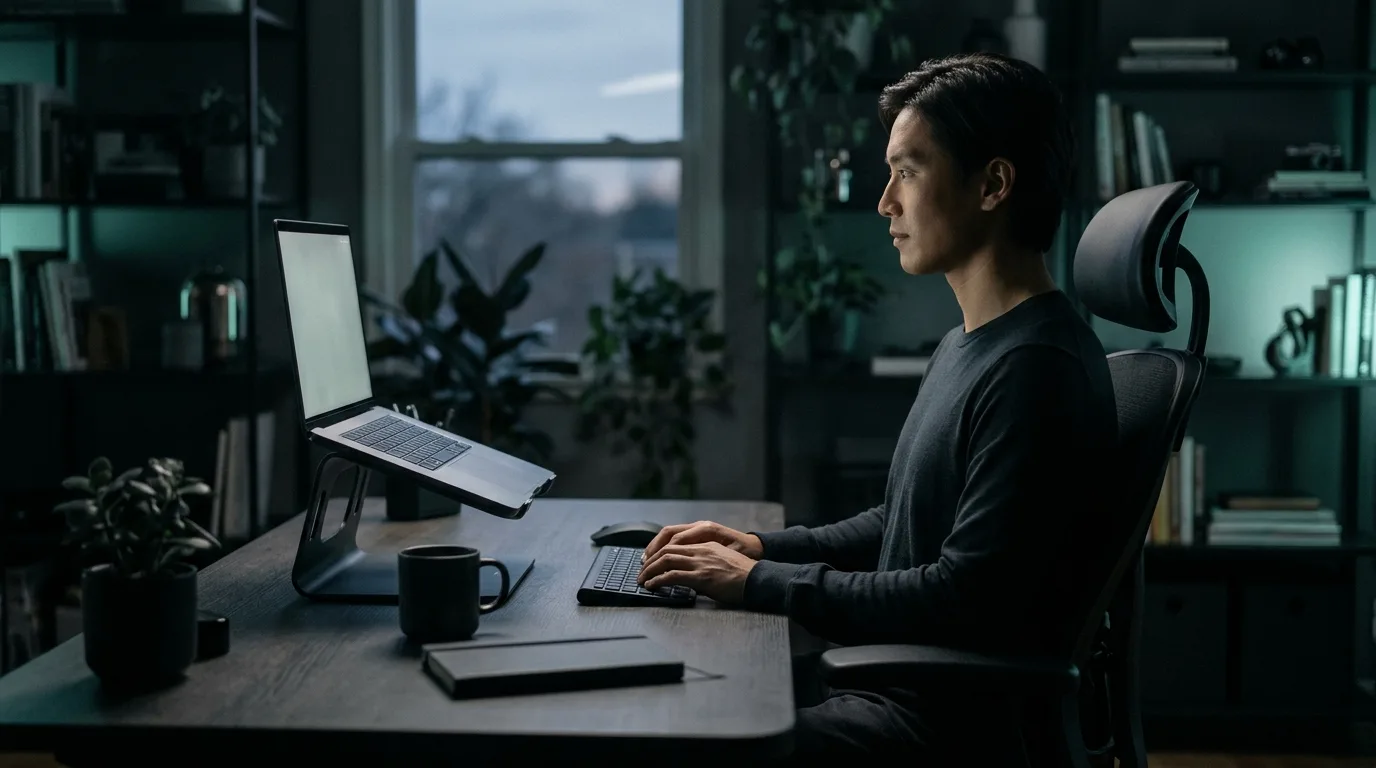
You can check your posture at home in about five minutes with a wall, a phone camera, a mirror and a webcam. Each test answers a different question. The wall and photo tests show where your body rests when you stand. The mirror shows side-to-side balance. The webcam test shows what actually happens to your posture while you sit and work, which is where most people's posture problems build up.
None of these replaces an assessment by a physiotherapist or doctor. They're quick ways to see whether there's something worth working on, and to track whether it's getting better.
What "good posture" means
Good posture isn't a rigid pose you hold all day. It's a position where your joints are stacked and your muscles aren't working hard to hold you up. The US Occupational Safety and Health Administration calls this neutral posture: a comfortable working posture in which your joints are naturally aligned, which it says reduces stress and strain on muscles, tendons and the skeleton (OSHA, Computer Workstations: Positions).
Seen from the side, a neutral standing posture lines up roughly like this:
- Your ear sits over the middle of your shoulder.
- Your shoulder sits over your hip.
- Your hip sits over or just in front of your ankle.
Seen from the front, your head is centred, your shoulders are level and your weight is spread evenly across both feet.
Sitting at a desk, OSHA describes a neutral posture as one where the head is level, forward facing and in line with the torso, the shoulders are relaxed, the elbows stay close to the body and the back is supported. The four tests below check those lines.
Test 1: The wall test (2 minutes)
The wall test is the quickest way to see whether your head and upper back rest forward.
- Stand with your heels a few centimetres from a wall.
- Lean back so your bottom and upper back touch the wall.
- Let your arms hang and look straight ahead with your eyes level.
- Notice whether the back of your head touches the wall.
What it tells you:
- Head touches the wall with your eyes level. Your head is stacked over your body when you stand.
- You have to tip your chin up to reach the wall. Your head tends to rest forward. This is often called forward head posture or tech neck.
- Your upper back won't sit flat against the wall comfortably. Your upper back may be more rounded than it needs to be.
The wall test has a limit: it shows how you stand when you're paying attention. Almost everyone stands taller during a test than they sit at 4pm.
Test 2: The side photo (3 minutes)
A side photo gives you something to look at instead of something to feel.
- Ask someone to take a full-length photo of you from the side. The camera should be at about chest height and square to your body, not angled up or down.
- Stand the way you normally stand. Don't pose. Arms relaxed, looking ahead.
- On the photo, draw a vertical line down from your ear.
In a balanced posture, that line passes close to the middle of your shoulder, your hip and your ankle. Common patterns:
- Ear clearly in front of the shoulder. Head forward.
- Shoulder rolled in front of the line, upper back rounded. Rounded shoulders, often from long hours at a keyboard.
- Hips pushed forward of the line, upper back leaning back. A swayback stance.
Clinicians use the same idea in a more precise way. The craniovertebral angle is measured on a side photo between a horizontal line through the bony bump at the base of your neck and a line to your ear. The smaller the angle, the further forward your head sits. If you want that number, a physiotherapist can measure it properly.
Take the photo again every few weeks in the same spot with the same camera position. Comparing photos taken the same way is more useful than judging any single one.
Test 3: The mirror check (1 minute)
Stand in front of a full-length mirror, relaxed, and look for asymmetry:
- Is one shoulder higher than the other?
- Does your head tilt to one side?
- Is there more space between one arm and your waist than the other?
- Are your kneecaps pointing straight ahead?
Small differences are normal. Bodies aren't perfectly symmetrical. What you're looking for is a clear difference that matches a habit, like the shoulder you always carry a bag on, or the side you lean toward on your armrest.
Test 4: The live webcam check (10 seconds, then while you work)
The first three tests share a blind spot. They look at you standing, for a moment, while you're thinking about your posture. But most people spend their worst posture hours sitting, concentrating on something else.
A webcam check watches you while you sit. PostureCheck does this in your browser:
- Open the posture check and allow your camera.
- Sit up straight, facing the camera, with your head and both shoulders in view.
- Hold for about three seconds while it learns your upright posture.
- Carry on working.
From then on it compares every frame with that baseline. It watches how high your head sits above your shoulders, whether your head moves toward the screen ahead of your body, whether your shoulders stay level and whether you sink down in your chair. You get a live score from 0 to 100, a plain description of what changed ("Head drifting forward", "Sinking into the chair") and a chime if you stay slouched past your alert delay.
The pose model runs on your computer. No video or photo is uploaded or recorded. The free check runs for two minutes a day, which is enough to see what happens to your posture when you start concentrating.
What it tells you that the other tests can't: how quickly your posture slips once you're absorbed in work, which signs show up first, and whether your desk setup is pulling you forward.
How to tell if you have bad posture without a test
Your body often tells you before a test does. Common signs that your posture needs attention:
- Your neck or upper back aches by the end of the workday.
- You catch yourself with your face close to the screen.
- You slide forward on your chair seat over time.
- One shoulder is consistently tighter or higher.
- You get tension headaches after long sessions at a computer.
Any of these can have other causes, and pain that lasts, spreads, or comes with numbness or tingling should be checked by a doctor or physiotherapist.
What to do with your results
If your head sits forward: start with your screen. OSHA recommends putting the monitor directly in front of you, at least 20 inches away, with the top line of the screen at or below eye level (OSHA, Monitors). A laptop flat on a desk forces your head down and forward. Raise it and use a separate keyboard. The forward head posture test walks through this in more detail.
If you sink in your chair: sit with your hips all the way back so the backrest supports your lower back. OSHA's chair guidance says the backrest should conform to the natural curve of your spine and give adequate lumbar support, with your feet flat on the floor or a footrest (OSHA, Chairs).
If your shoulders are uneven: look for the habit. Leaning on one armrest, holding a phone between ear and shoulder, or always carrying a bag on one side are the usual suspects.
Whatever you find: move more. OSHA notes that even a good posture held for long periods isn't healthy, and suggests making small adjustments, stretching, and standing up and walking around for a few minutes periodically.
The sitting posture guide has a full 60-second desk checklist.
How often to check
- The wall test and side photo: every two to four weeks, the same way each time, to see whether anything is changing.
- The mirror check: whenever you notice discomfort on one side.
- The webcam check: during real work. A two-minute check at the start of the day shows you where you're starting. Leaving it running shows you what happens over hours.
The bottom line
Posture tests are snapshots. They're useful for spotting a pattern, but the pattern itself is built over thousands of hours of sitting. The most useful thing a test can do is show you the moment your posture slips, while you're working, so you can correct it there and then. That's the habit that changes how you sit.
Start a free posture check and see what your posture does when you stop thinking about it.